Article
money-news
Skip to content
Saga logo
Account icon MySaga
  • Insurance
    Go to Insurance Contact us Contact us
    • Car
      • Car insurance
      • Over 50s car insurance
      • Fixed price car insurance
      • Car insurance add-ons
      • Electric car insurance
      • Breakdown cover
      • European cover
      • Make a car claim
      • Car insurance FAQs
    • Home
      • Home insurance
      • Buildings & contents insurance
      • Over 50s home insurance
      • Contents insurance
      • Renters insurance
      • Home insurance add-ons
      • Fixed price home insurance
      • Make a home claim
      • Home insurance FAQs
    • Travel
      • Travel insurance
      • Single trip travel insurance
      • Existing medical conditions
      • Annual travel insurance
      • Cruise travel insurance
      • Over 70s travel insurance
      • Delayed Flight Assistance
      • Make a travel claim
      • Travel insurance FAQs
    • Private medical
      • Health insurance
      • Compare healthplans
      • What is health insurance?
      • Switching provider
      • Over 60s health insurance
      • Options to improve cover
      • Your choice of hospital
      • Make a health claim
      • Health insurance FAQs
    • Other
      • Landlord insurance
      • Motorhome insurance
      • Policy books
      Already a customer?

      Find everything you need for claims, renewals, and policy changes all in one place.

      Visit the Customer Hub
    Insurance help and resources
    • Contact us
    • Bereavement service
    • Support services
    • Hear more from us
    • Customer hub
  • Holidays
    Go to Holidays Call us now Call us on 0808 239 3479
    • Escorted tours
      • Escorted tours
      • Escorted tour offers
      • Solo escorted tours
      • Safari tours
      • Rail journeys
    • Hotel stays
      • Hotel stays
      • Hotel stays offers
      • Solo hotel stays
      • All inclusive
      • Winter sun
    • Special interest
      • Birdwatching
      • Walking
      • Food
      • UK universities
      • All special interest
    • Travel inspiration
      • Destinations
      • Last-minute holidays
      • 2027 Holidays
      • New holidays
      • Blog
    • Existing customers
      Already booked a holiday?
      View your booking, travel documents and update details ahead of your holiday.
      View my booking
    Holiday help and resources
    • Manage my booking
    • Request a brochure
    • Hear more from us
    • Contact us
    • FAQs
  • Cruises
    Go to Cruises Call us now Call us on 0808 258 6779
    • Ocean cruises
      • 2026 ocean cruises
      • 2027 ocean cruises
      • Late availability cruises
      • Solo ocean cruises
      • Ocean cruise offers
      • Ocean cruise destinations
      • What's included
      • Ocean cruise FAQs
    • River cruises
      • 2026 river cruises
      • 2027 river cruises
      • Solo river cruises
      • River cruise offers
      • River cruise destinations
      • What's included
      • River cruise FAQs
    • Why cruise with us?
      • Ocean cruise experience
      • River cruise experience
      • Love It First Time guarantee
      • Benefits of booking early
    • Travel inspiration
      • Travel advice
      • Travel experiences
    • Existing customers
      Already booked a cruise?
      Add passport details, view your cruise documents and check your cruise itinerary.
      View my booking
    Cruise help and resources
    • Manage My Booking
    • Request a brochure
    • Hear more from us
    • Contact us
    • FAQs
  • Money
    Go to Money Contact us Contact us
    • Savings
      • Easy access savings
      • Fixed rate savings
      • Cash ISA
      • How does interest work?
      • How to set savings goals
      • How to budget
      • Go to Savings
      • Existing Savings customers
    • Mortgages
      • Standard mortgages
      • Buy-To-Let
      • Remortgaging
      • Family supported mortgages
      • Compare mortgage rates
      • Retirement interest only
      • Go to Mortgages
      • Existing Mortgage customers
    • Equity release
      • Equity release calculator
      • Exclusive product
      • Pros and cons
      • Request a free guide
      • Alternatives to equity release
      • Request a call back
      • Go to Equity release
      • Equity release FAQs
    • Legal services
      • Will writing
      • Lasting power of attorney
      • Probate
      • Free legal review
      • How to make a will
      • Guide to probate forms
      • Go to Legal services
    • Investing
      • Stocks & Shares ISA
      • General Investment Account
      • Existing Investment customers
      Read the latest Saga Money news
      The latest news, articles and wider reading on all things financial. Making the most of what you have.
      Saga Money news
    Money help and resources
    • Contact us
    • Support services
    • Hear more from us
  • Magazine
    Go to Magazine
    • Explore topics
      • Homes
      • Entertainment
      • Gardens
      • Health & wellbeing
      • Life
      • Travel
      • Recipes
      • Video & podcast
    • Games and puzzles
      • All puzzles
      • Codeword
      • Crossword
      • Quick crossword
      • Sudoku
      • Hard Sudoku
    • Partnerships
      • Vintage by Saga ↗
      • Saga Connections ↗
    • Saga Magazine
      Subscribe to the award-winning Saga Magazine. A celebration of life, experience, and the joy of living, delivered direct to your door.
      Subscribe
    Magazine help and resources
    • Log in to MySaga
    • Hear more from us
    • Contact us
  1. Home
  2. ...
    1. Money news
  3. The most common password mistakes - which one are you making?

The most common password mistakes - which one are you making?

Stay safe when shopping and banking online by avoiding these password mistakes. Learn how to make a good password and store it safely.

By Mel Hunter | Published - 11 Mar 2025
Social Facebook Social Twitter Email

Important info

This article is for general guidance only and is not financial or professional advice. Any links are for your own information, and do not constitute any form of recommendation by Saga. You should not solely rely on this information to make any decisions, and consider seeking independent professional advice.  All figures and information in this article are correct at the time of publishing, but laws, entitlements, tax treatments and allowances may change in the future. 

Whether for banking, shopping, email or booking a holiday, passwords are the gateway to our online lives. But making the most common password mistakes is like leaving your front door wide open. Using the same password on different sites – or not updating yours regularly – could give criminals the key to your personal and financial information.

Unfortunately, as we get older we’re more likely to be targeted by scammers, so it’s particularly important to be careful. Six in ten over-65s have been scammed in some way, according to the charity Independent Age.

Sarah Lyons, Deputy Director for Economy and Society at the National Cyber Security Centre, says: “The prospect of having our online accounts hacked is a worry for many and, unfortunately, it’s a very real threat.”

But there are steps you can take to protect yourself. This article explains how to stay safe online by avoiding these common mistakes.

What’s on this page? 

  1. Reusing passwords
  2. Using an obvious password
  3. Watch out for ‘reset password’ scams
  4. Not using 2-step verification
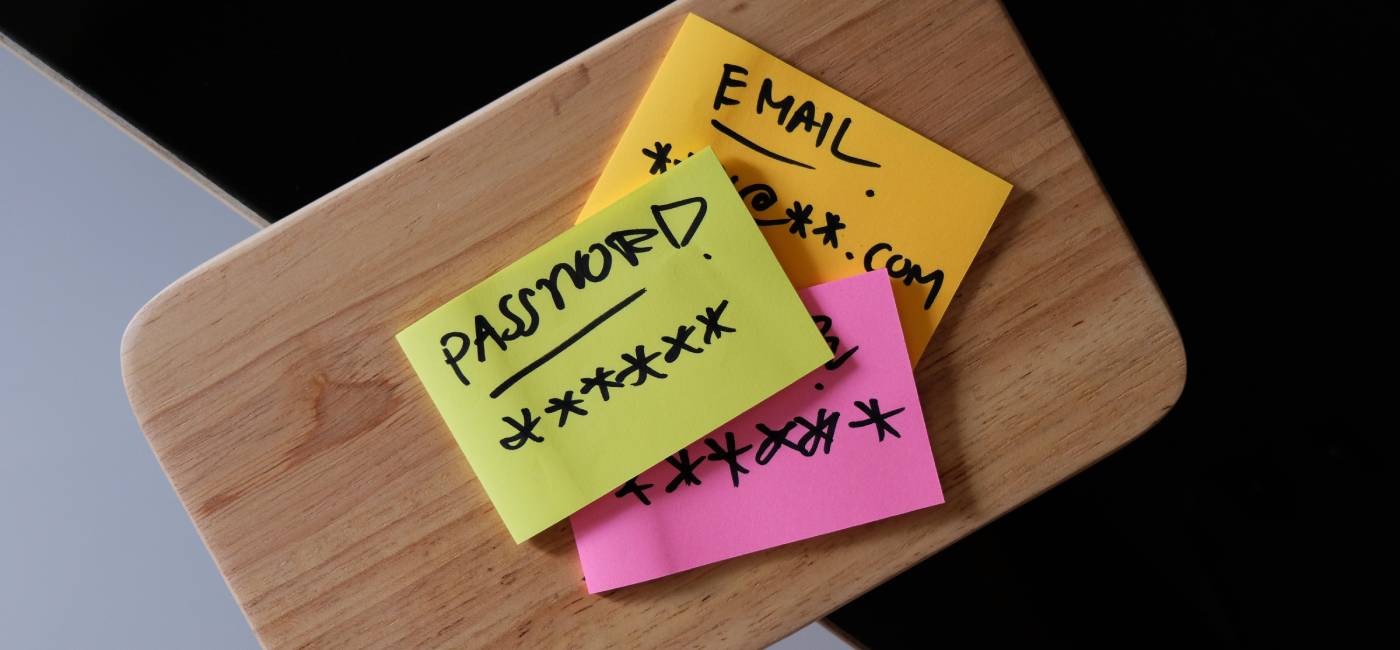
  5. Not storing passwords safely

1. Reusing passwords

Using the same password for different accounts is a mistake many of us make. The average person uses the same password for six websites or platforms, according to a survey for security platform ExpressVPN.

The best approach is to use different passwords for each account. That way, if your information from one falls into the wrong hands, it won’t open the door to all your other accounts. Lyons at the National Cyber Security Centre says anyone, regardless of age, can have their online accounts compromised if they use weak or reused passwords.

“Whilst having a weak password might let attackers get into your account, we more commonly see attackers waiting until a website loses passwords in a data breach. They are then able to try them on other websites, so having different passwords for each account is crucial.”

Did you know that if you were born between 1946 and 1964, you’re in the age group “most likely to create unique passwords”, according to the World Economic Forum. You’re also the least likely to repeat a password or use a variation on another password – which is great.

2. Using an obvious password

Experts have identified the passwords most likely to get hacked. Top of the list is '123456', involved in more than 50 million data breaches between 2007 and 2025. And 'password' is also one of the most hacked, linked with more than 11 million data breaches, according to website hosting platform Knownhost.

Many websites now have password requirements that force you to choose a more secure password. But using pet names, family birthdays or the football team you’ve always supported is also a security risk.

Lyons says: “Hackers can easily find this information from a variety of sources, including social media profiles, data breaches, or guesswork. Be mindful of what you share online – details like your anniversary seem harmless, but cyber criminals can use them to guess passwords.”

How to choose a strong password

The best way to choose a password is to use something that is strong and unique. This could be three random words combined, as an example: “Teaswamprabbit”. Using a mixture of upper and lower case, numbers and special characters (like !&*, if the website allows them) will make your password more secure. Don’t use something easy to guess like ‘Liverpool123’.

3. Watch out for ‘reset password’ scams

If you’ve received an email or message asking you to reset your password, stop and ask yourself if it could be a scam. The British public receives around 70,000 password reset attacks each week – that’s seven per minute.

And, according to the LexisNexis Risk Solutions research, desktop computer users appear more at risk. This could make older people more vulnerable to this type of scam. Lyons explains that these scams often look legitimate, tricking users into clicking on malicious links.

If clicked, you could be directed to a fake login page that if you entered your username and password, cyber criminals could capture your login details and use them to access your accounts.

Tune into these telltale signs of a scam:

  • An unexpected request: If you didn’t request a password reset, be suspicious. 
  • Urgency: Are you told you only have a limited time to respond? Criminals often threaten negative consequences or costs.
  • Emotion: Does the message make you panic, fearful, hopeful, or curious? Criminals often use threatening language, make false claims of support, or tease you into wanting to find out more. 
  • Scarcity: Is the message offering something in short supply? 

If any of these ring alarm bells, don’t click.
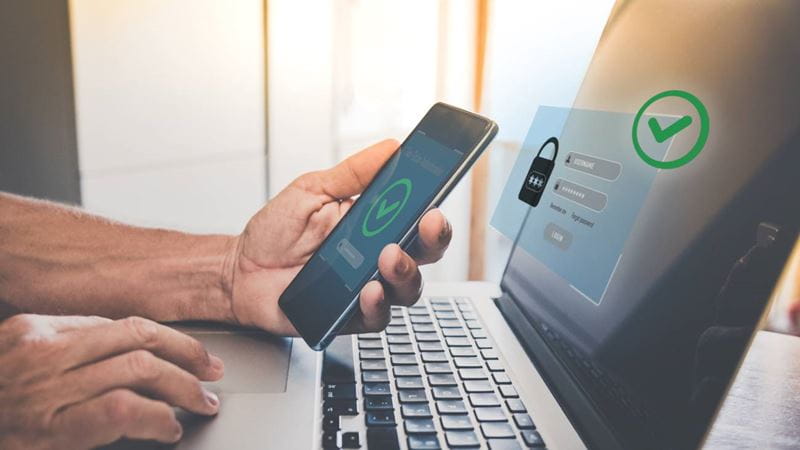
Two factor authentication. Ensure protection, identification concept. Security of online accounts.
Image credit: Shutterstock/ Fabio Principe

4. Not using 2-step verification

Setting up two-step or two-factor authentication (also called two-step verification) is a way to make it harder for scammers to gain control over your accounts. 2FA or 2SV, as it can be known, requires you to confirm your identity after you’ve entered your username and password by entering a one-time passcode, which you can get via an app or text message.

Only once you've entered that code are you granted access to your account. It acts as an extra lock, so even if someone gets your password, they’ll still need a second code to break in. You can check with banks and shops for how to enable two-step verification on your accounts, or have a look at 2fa Directory which gives details for a range of companies.

5. Not storing passwords safely

Storing passwords safely means you won’t have to remember them, and that frees you up to have a different, strong password for each website. So, can you write them down? Yes, says the National Cyber Security Centre, but keep them somewhere safe and out of sight and away from your computer.

However, you should be wary, depending on your own circumstances. The charity Age UK suggests you perhaps shouldn’t write them down if you have people coming into your home. If you do, write hints that only you’ll understand, rather  than the actual passwords.

For a different method, if you use the Chrome web browsers or have an Android phone (in other words, not an iPhone), Google Password Manager will offer to save your passwords for you on that device. This is generally safe to do, but don't allow it if other people have access to your computer or if you’re using a shared computer outside your home – in the library or a community centre for example.

You can also use a password manager, which is an encrypted app on your phone, tablet or computer that stores your passwords, so you don’t need to remember them. Just make sure that your laptop or phone is secured by a PIN or password, so that others can’t access your details.  You can find out more about password managers on the National Cyber Security Centre website.

Common password mistakes: A recap   

  • Don’t use the same password, or variations of it, for different accounts.
  • Don’t make passwords from obvious things like your pet’s name or your favourite football team. 
  • Use three random words to create a strong password, ideally with upper case and numbers added in. 
  • Receiving password reset emails you didn’t request is a sign of a hacking attempt – forward them to report@phishing.gov.uk. 
  • Use two-step verification whenever you can.
  • Store passwords safely, being mindful of your own circumstances and who might be able to access them. 
Sign up to hear more from Saga Money

Sign up to hear more from Saga Money

Get the latest updates from Saga Money direct to your inbox. Our emails feature money news, helpful tips and special offers.

Fields marked with an * are mandatory.

Please enter a valid first name
Please use only letters
Please enter a valid last name
Please use only letters
Please enter a valid email address
Please use a valid email format
Unfortunately there has been an issue processing the form, please try again.

By providing your details you will receive emails with related content and offers from Saga Money.

For information about how we use your personal information, please view our Privacy Policy

Related articles

A mature male sitting in a sofa looking out the window looking worried holding his phone
The latest text message scams
Man looking glum with his chin resting on his hand
How to spot a romance scam
A shadowy figure typing at a laptop
Common types of scam – and how to protect yourself
An untrustworthy man holding a white mask up to his face shakes a woman's hand over a desk
Insurance scams warning - don’t fall for a “ghost broker”
Two people in a kitchen hugging and smiling
Saga brand logo

Saga Money

Serving the personal finance needs of the over 50s for more than 20 years.

Find out more

Money news

Browse money news
Thoughtful confused mature woman concerned thinking about online problem looking at laptop.
How to spot an investment scam

Find out how to protect yourself from scams that promise big returns but are really just targeting your money.

A man sat on the sofa on the phone
Gift card scams: what you need to know
Stay safe from manipulative behaviour.
Lots of old coins spread out on a table
How much could my old coins be worth?
Your coin collection might have some hidden treasures.
Man and woman sat behind a computer and high fiving each other
Could you be sitting on a fortune in forgotten shares?

There’s billions sitting unclaimed in shares and dividends – find out if any belongs to you.

A man looking at his phone in his hand
WhatsApp scams latest: what to watch out for
Beware of the criminal lurking in your smart phone
A person signing an official document
6 things you need to do to (properly) update your will
How to update your will, and be confident you’ve done it right. 
1951
Saga logo
Our company
  • About us
  • Careers
  • Investor relations ↗
  • Newsroom ↗
  • Shareholder services ↗
  • Corporate ↗
Our products
  • Savings
  • Mortgages
  • Equity release
  • Legal services
  • Investments
  • Money news
More from us
  • Exising Savings customers
  • Existing Investment customers
  • Support services
  • Hear more from us
Other information
  • Cookie settings
  • Cookie policy
  • Privacy policy
  • Terms and conditions
  • Modern slavery statement
  • Gender pay review
  • Customer reviews policy
  • Sitemap
Contact us
  • Contact us
  • Make a complaint
  • Log in to MySaga
x icon Facebook icon

Saga Money is a registered trading name of Saga Personal Finance Limited, which is registered in England and Wales (Company No. 3023493) and is authorised and regulated by the Financial Conduct Authority (FCA No. 178922)

Registered office:
3 Pancras Square, London, United Kingdom, N1C 4AG
© Saga 2026